Getting Started Quick Guide
Welcome to the AISAP Exchange!
1. Log in at http://aisap.org.
You can log in using your AISAP member portal login and password. Having problems signing in? First, try using Password1 as your password. If that little tip doesn’t help, email the Cindy for help!
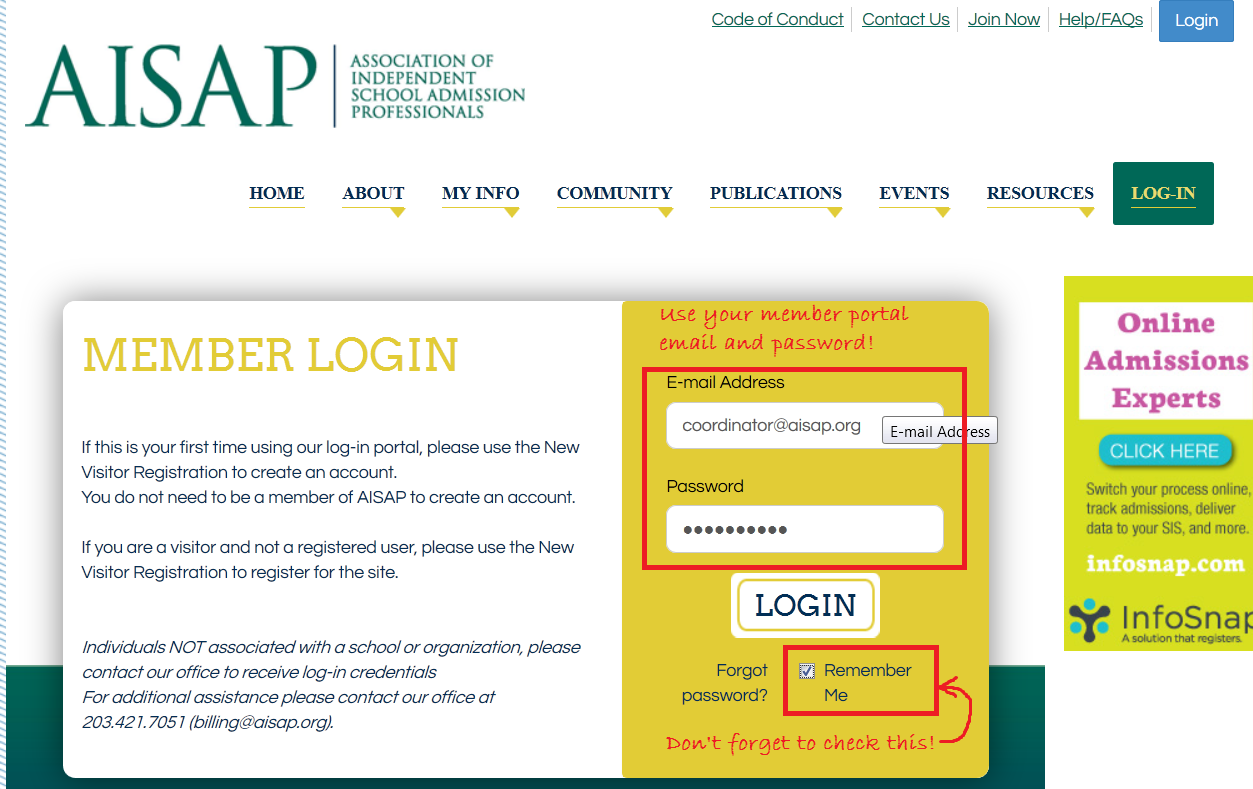
2. Fill out your profile.
We want to get to know you! Get out from behind the camera and upload a profile picture. Share your story, your passions, and your accolades in your profile.
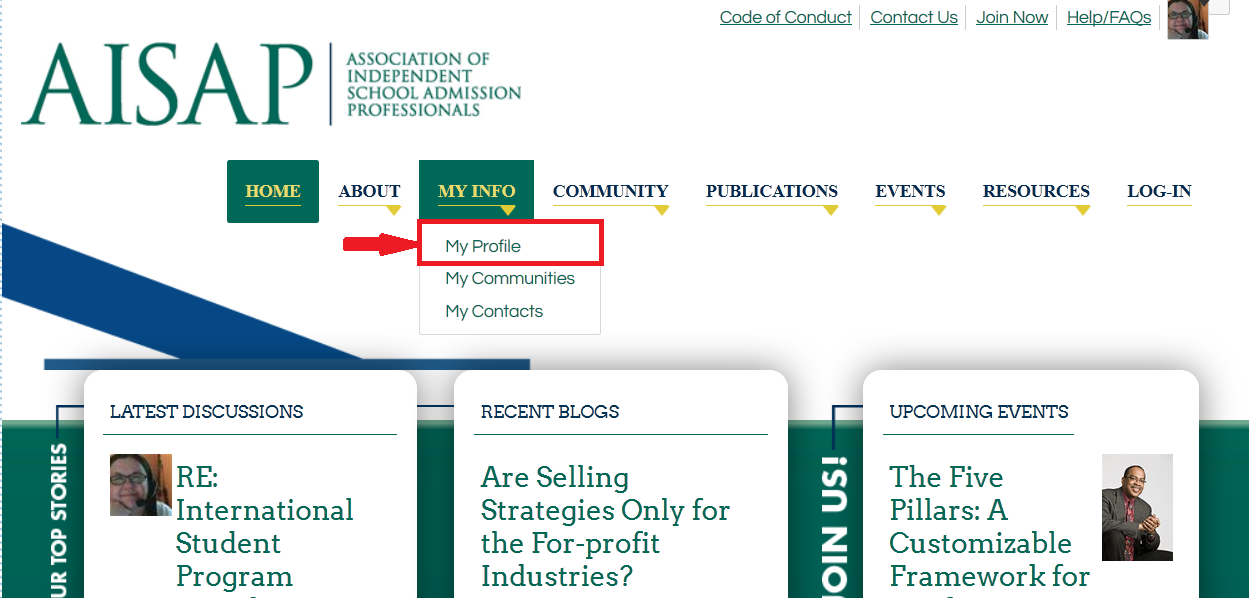
- Once you’ve logged in, select the My Profile tab in the blue navigation bar.
- Upload a profile picture.
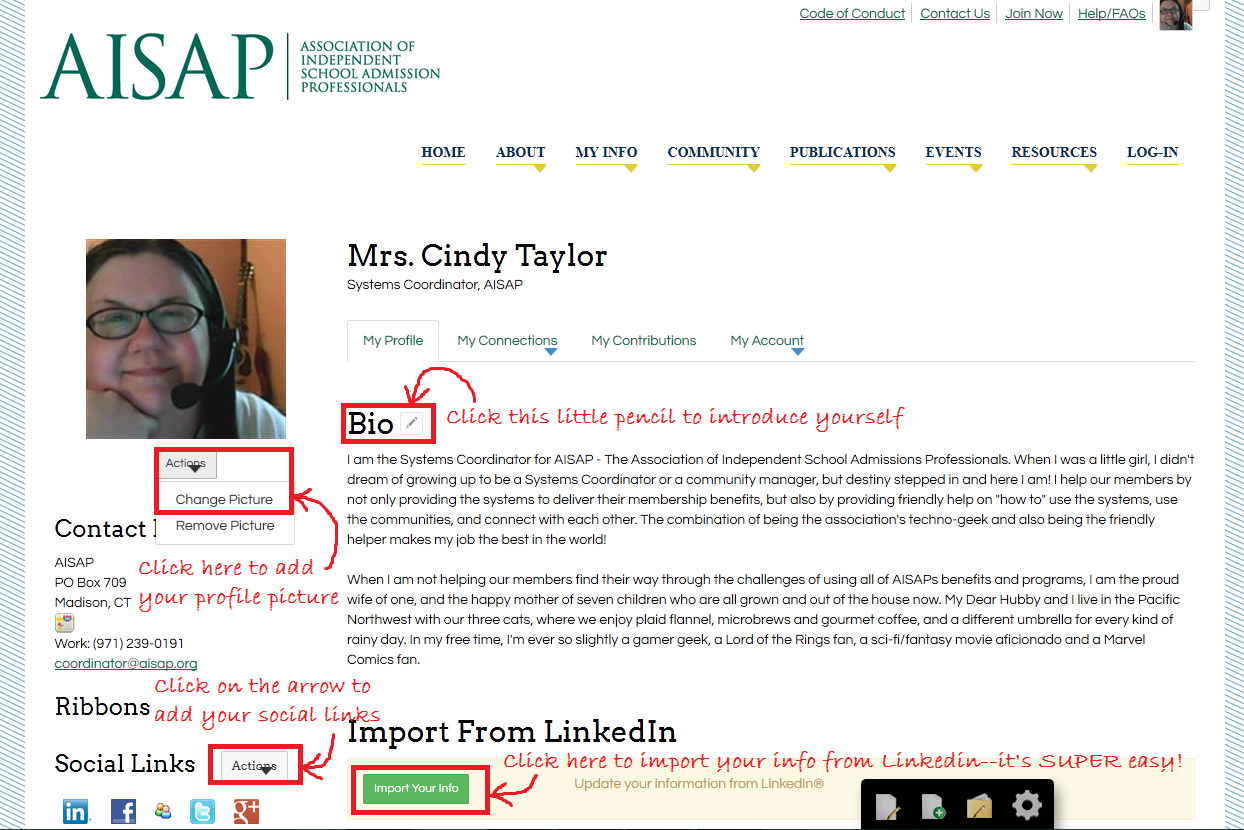
- Your contact info comes from the Member Portal, so it’s automatic!
- Complete additional fields such as your bio, education, birthday, and social networks.
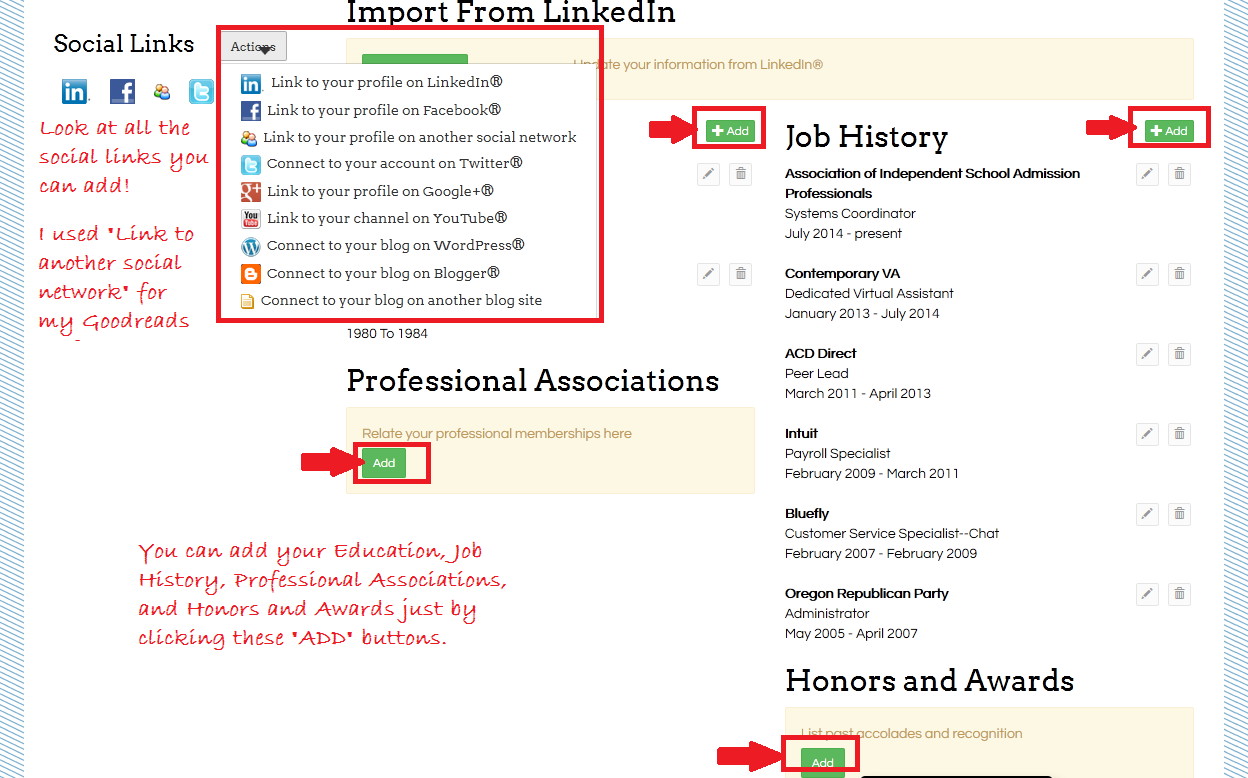
PRO TIP: Want to grab your information from Linkedin for your AISAP Exchange profile? Click here for a quick video on how to do it!
3. Build your contact list.
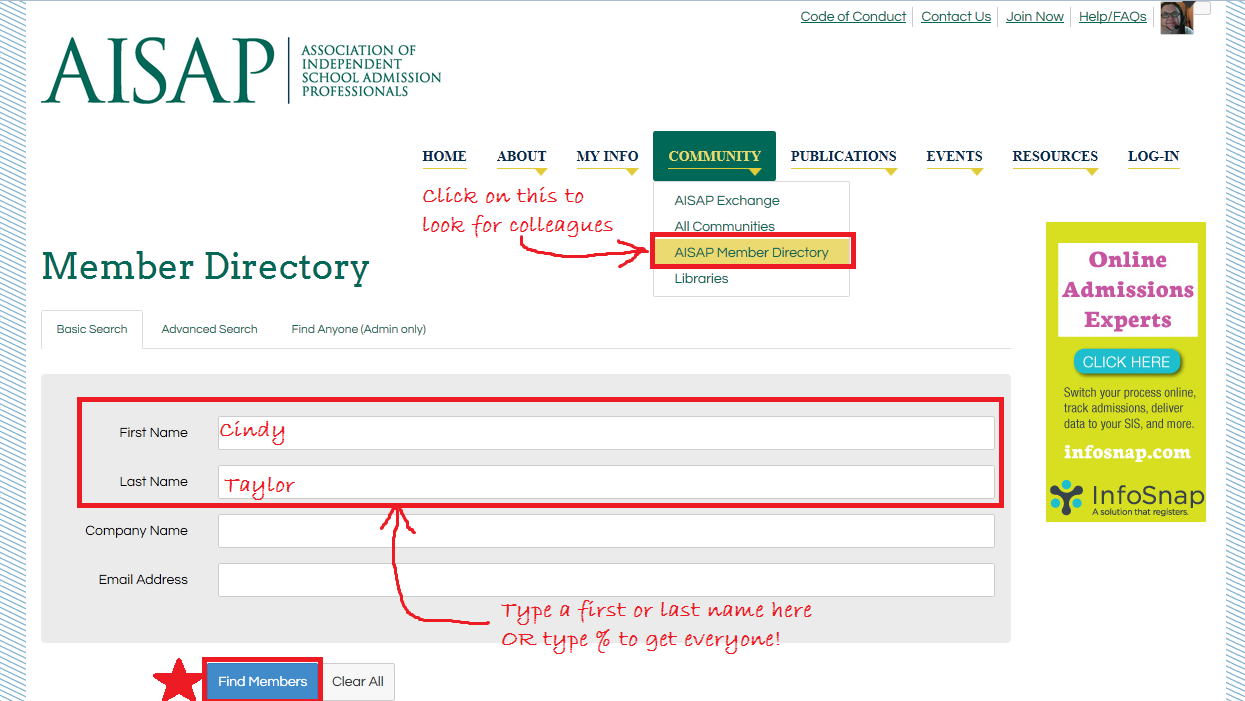
There are two ways to look for other AISAP members. First, select Community from the top navigation bar. Then, use the AISAP Member Directory search to find friends and colleagues belonging to AISAP.
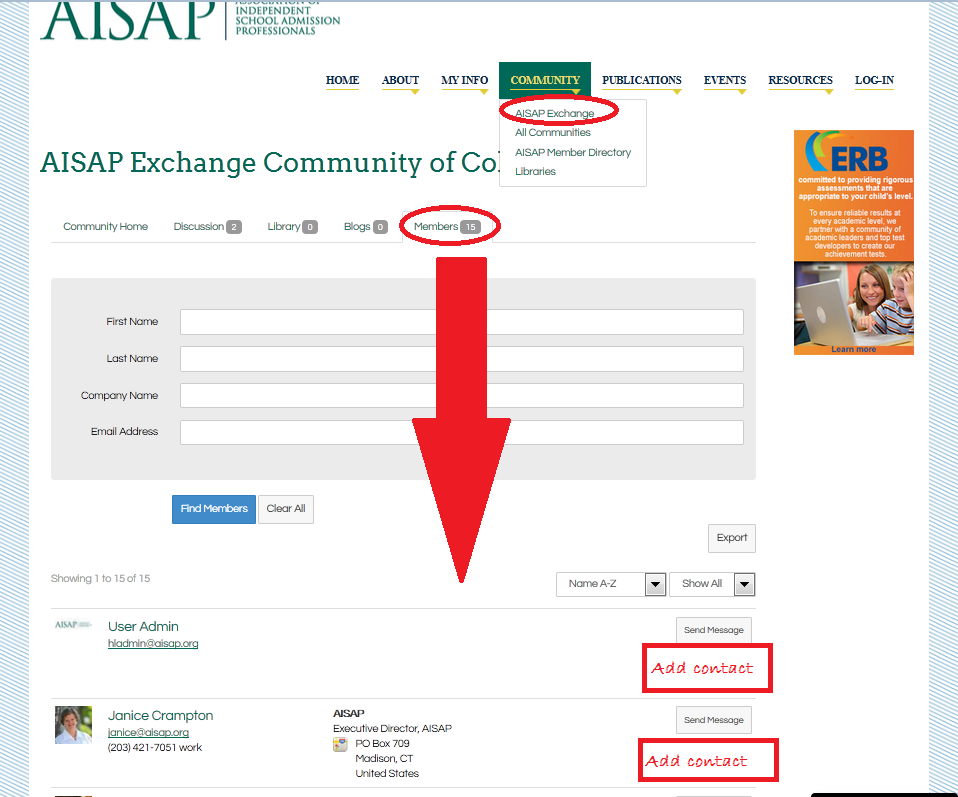
A second way to search for contacts is to select Community from the top navigation bar, but now choose the AISAP Exchange community! Move to the furthest right tab, the Members tab. Scroll down, and listed below the search are all the members! To add someone as a contact, just click the Add Contact button.
This is my personal favorite, and it’s super-fast and easy. No remembering names!
Creating a contact list helps the AISAP Exchange identify relationships and build searchable networks.
PRO TIP: Find at least 20 colleagues and request to add them to your contact list to complete your Profile Completeness bar.
4. Browse the Communities and join the ones that interest you. We have plenty of Communities that you'll find relevant, useful, and engaging, and we’re willing to hear your suggestions for even more focused Communities!
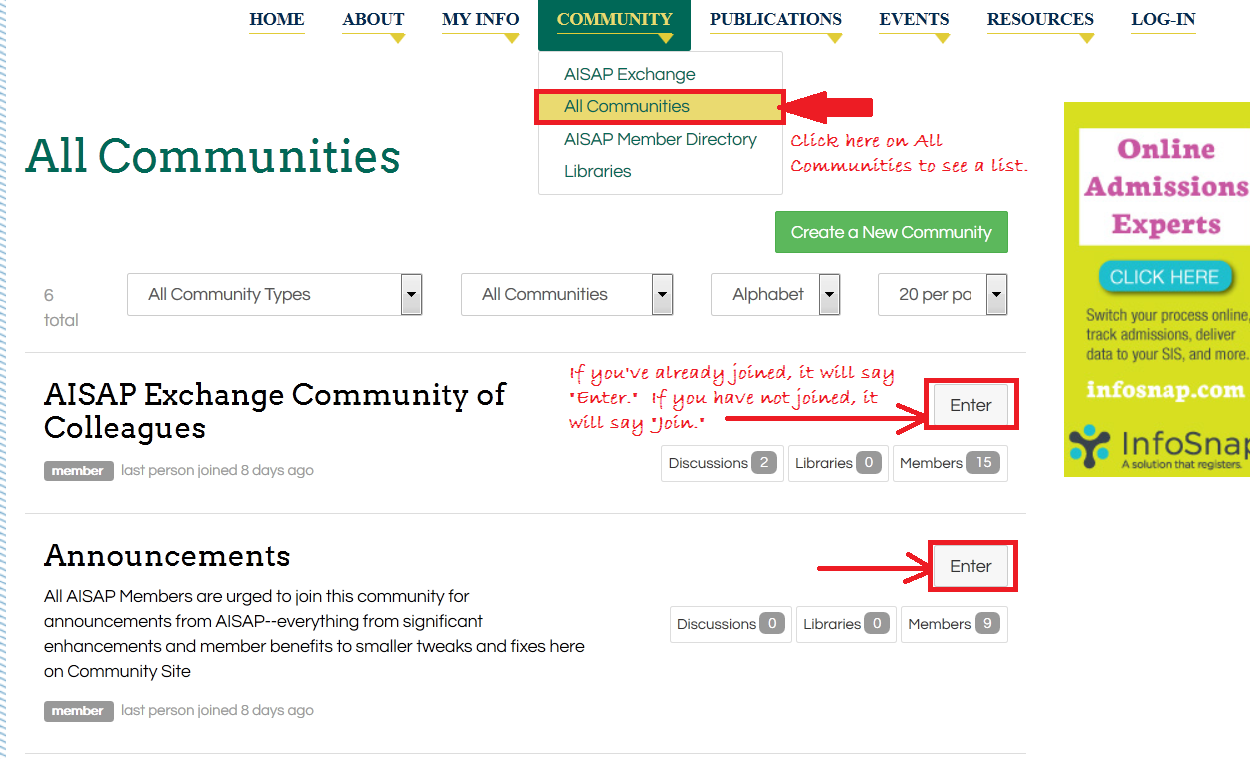
PRO TIP: Everyone belongs to the AISAP Exchange Community, making it a great place to start exploring.
5. Set your subscriptions to your Communities.
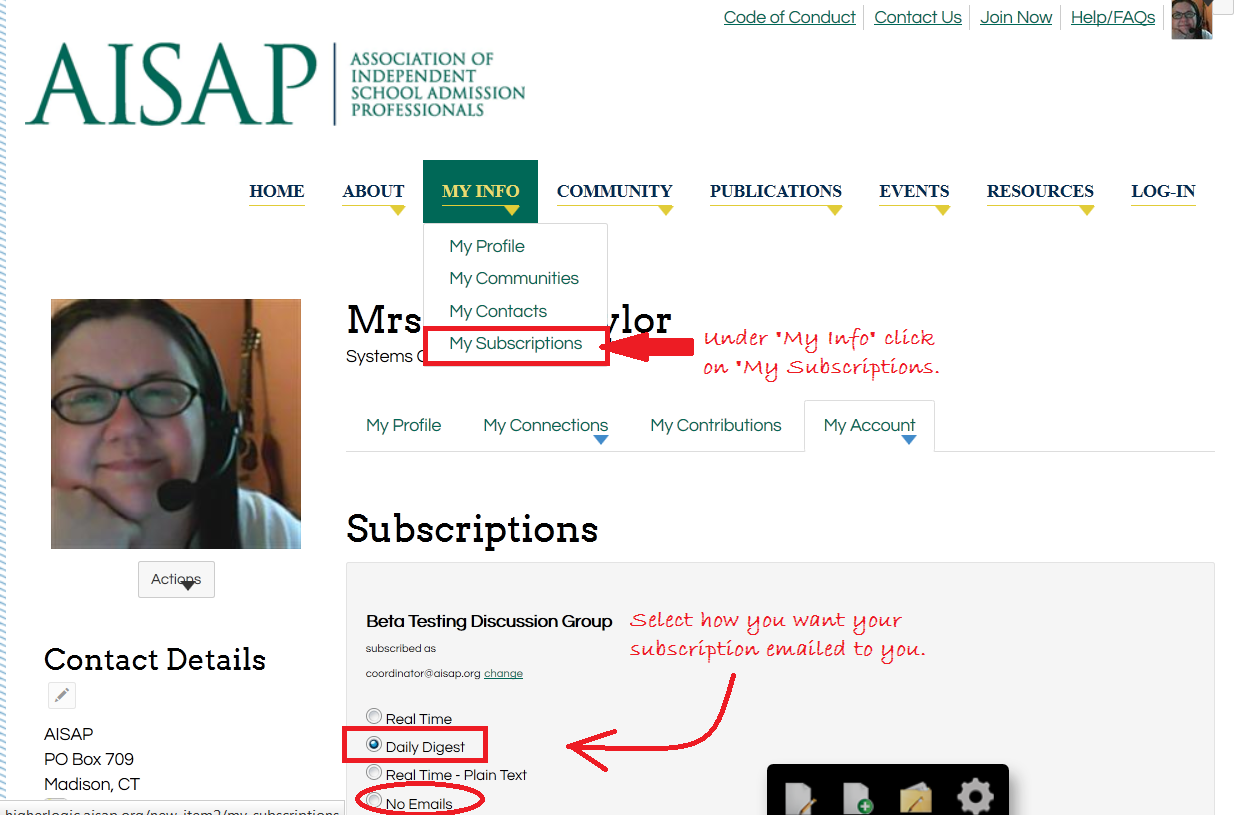
Start by finding My Subscriptions under the My Profile tab. Then, go through the list of your Communities and decide how you would like to keep in touch. We have automatically subscribed all AISAP members to the Daily Digest for the AISAP Exchange. For your other Communities, we recommend subscribing to the Daily Digest to receive a single email each day summarizing the hottest topics. You can also get emails in real time — perfect for the AISAP Exchange power users!
6. Join the conversation!
Use Discussions to chat with other members, ask questions, and share ideas and experiences. Use the Libraries to show off your images and videos or distribute helpful documents.
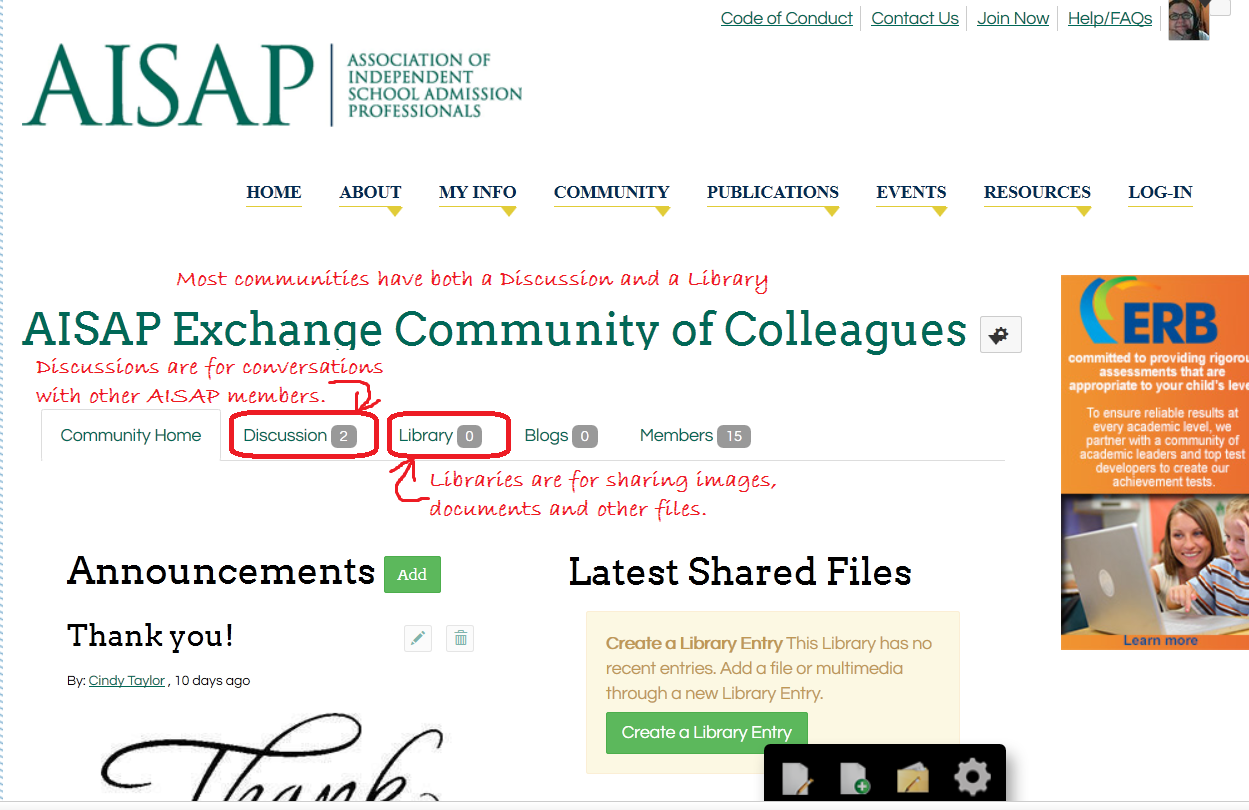
7. What now? Not sure where to start? To post a new message, select Community from the top navigation bar. Click on the AISAP Exchange community, and once on the Exchange page, go to the Discussions Tab. To the far right you’ll see a “Post New Message” button. Click on it! It’s that easy!
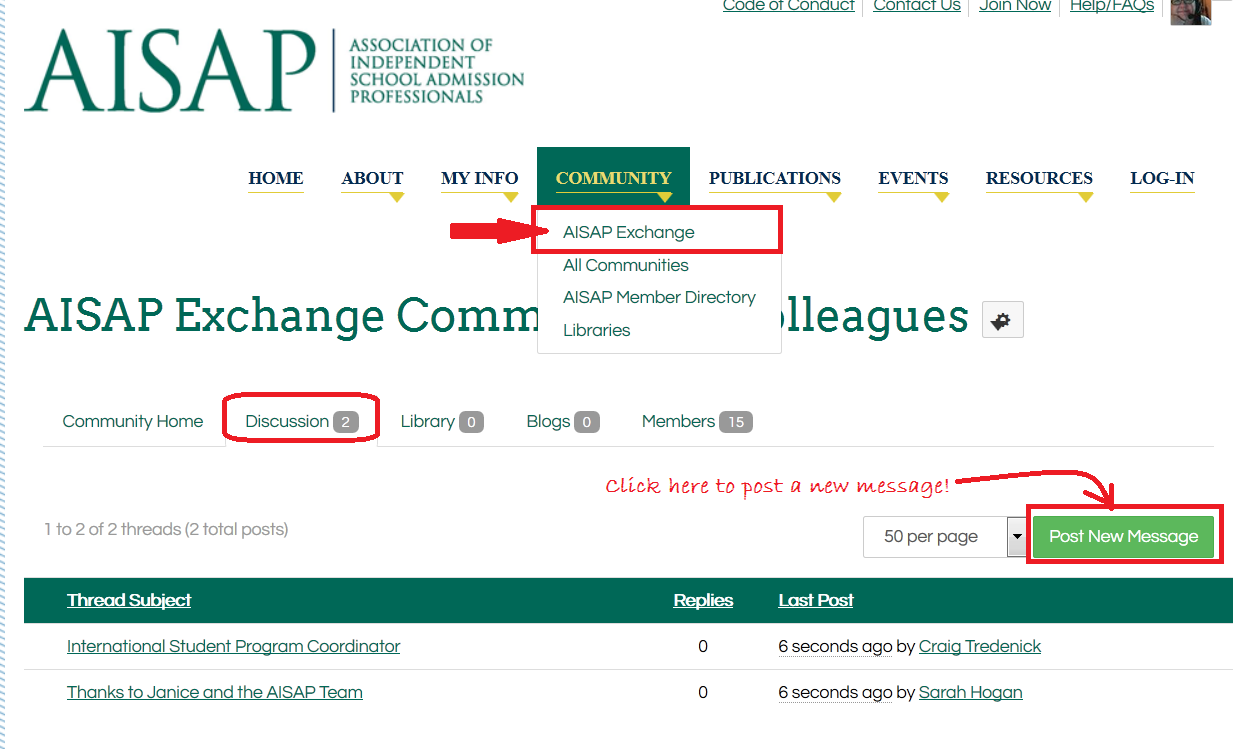
Don’t know what to post? See below for some ideas:
- Let us know you’re here. Say hello and share what you are hoping to gain by participating. You can do this in the “Introduce Yourself” thread or start your own!
- Ask questions. What do you want to know more about? Have a problem with anything from applications to videos? We’re here for you!
- Share ideas. Is there something hot that you just heard that you want to share? How about a lesson you've learned that might help your fellow members?
- Give feedback. Use your knowledge and experience to answer other members' questions. Click here to learn how to reply to a post.
Here's the link to download the AISAP Exchange Quick Guide. We're so glad to be sharing with you in the AISAP Exchange. Have fun!
.